€324,43
Compare color
-
SW521 HDMI
-
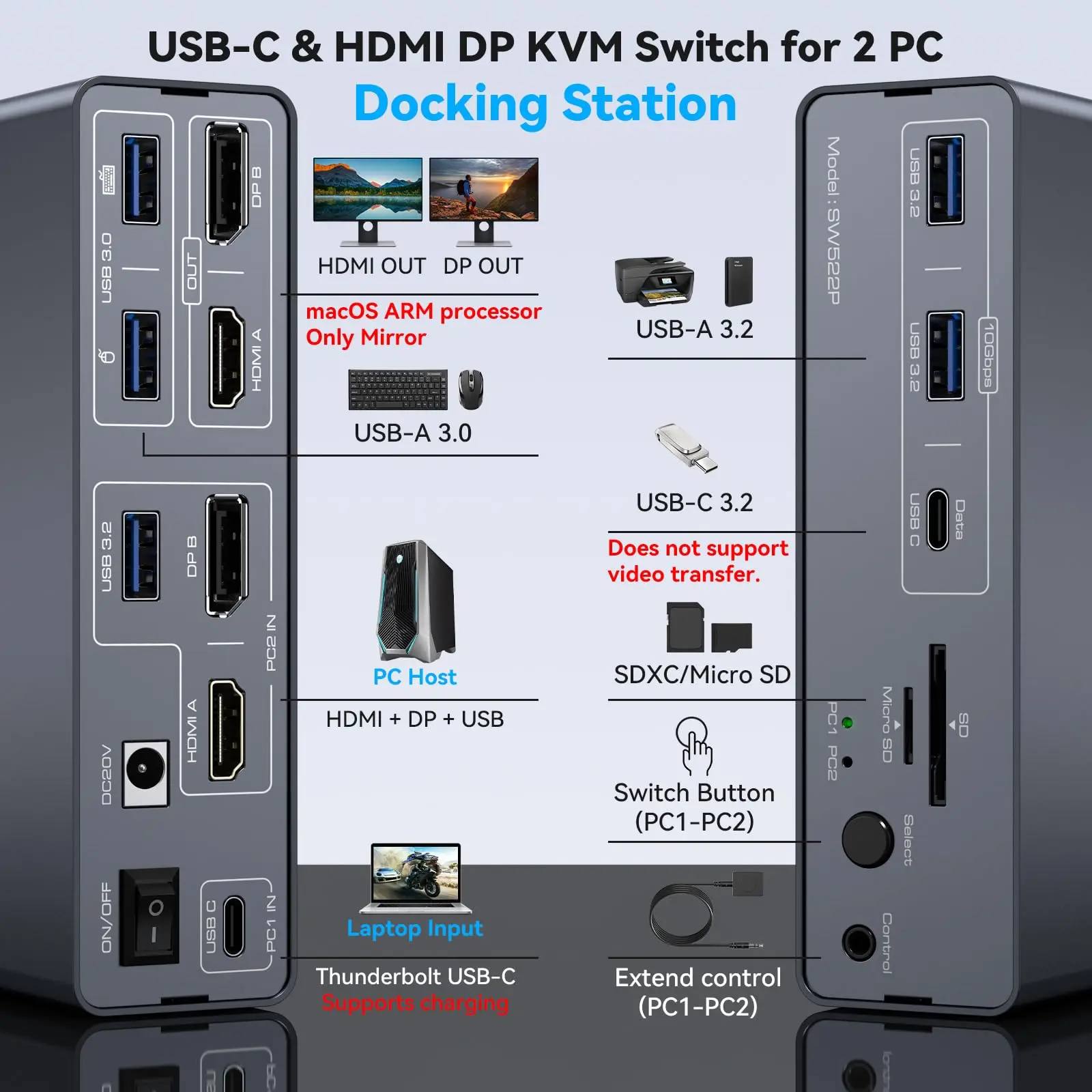
SW522P HDMI DP
-
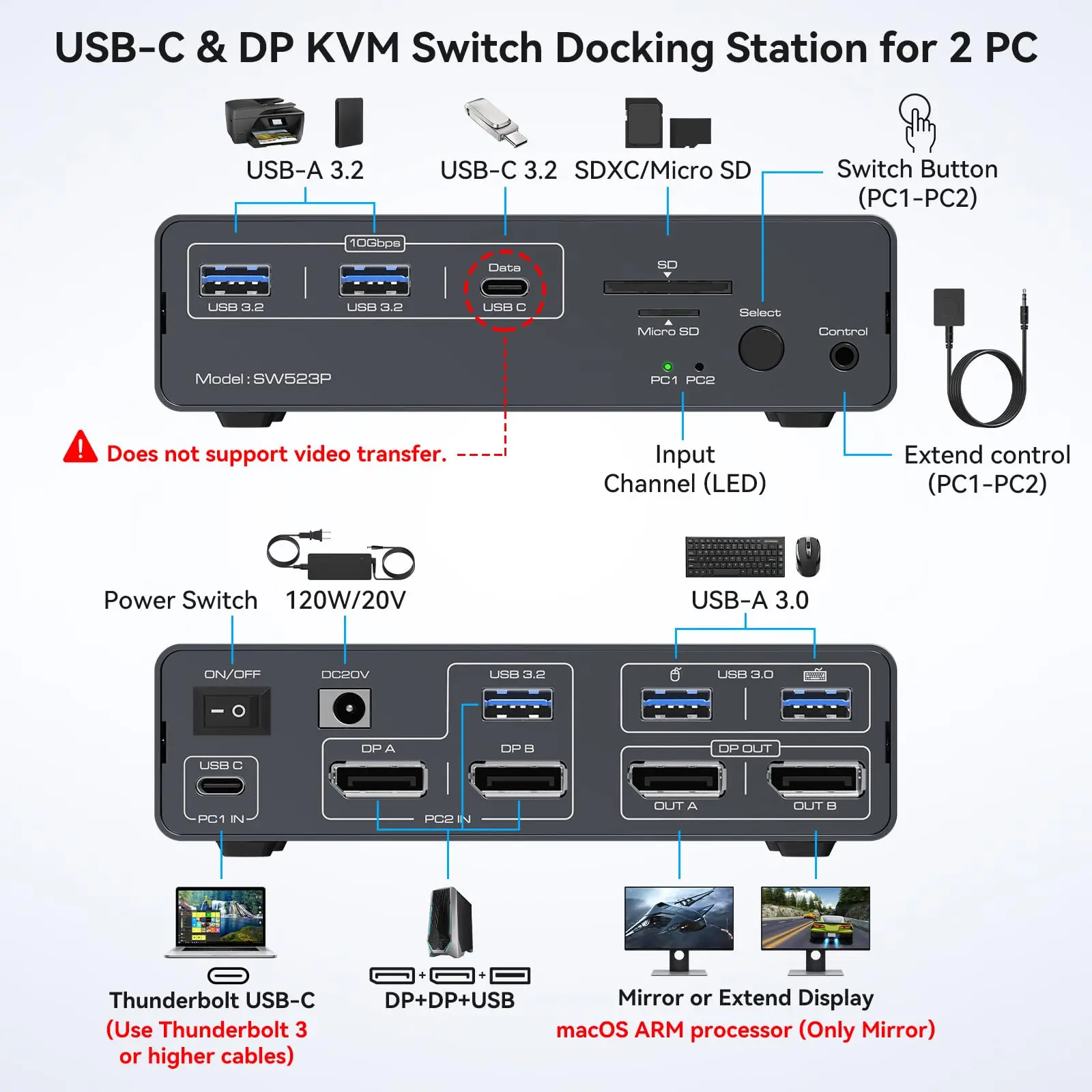
SW523P DP
Click on color/pattern to compare, click and drag images to reorder
Couldn't load pickup availability
Shipping, returns, and payments
-
Free delivery
-
30 days returns.
-
Money's Guarantee


Recently viewed products
SPECIFICATIONS
Brand Name: AIMOS
Certification: CE,RoHS,FCC,UL
High-concerned chemical: None
Model Number: USB C KVM Switch
Origin: Mainland China
Package: Yes
Type: USB Adapter
This link has 3 styles. Please choose the product that suits your needs and preferences.
-------SW521 Dual HDMI-------------------SW522P HDMI+DisplayPort-------------SW523P Dual DisplayPort
--------------------------------SW521 Dual HDMI
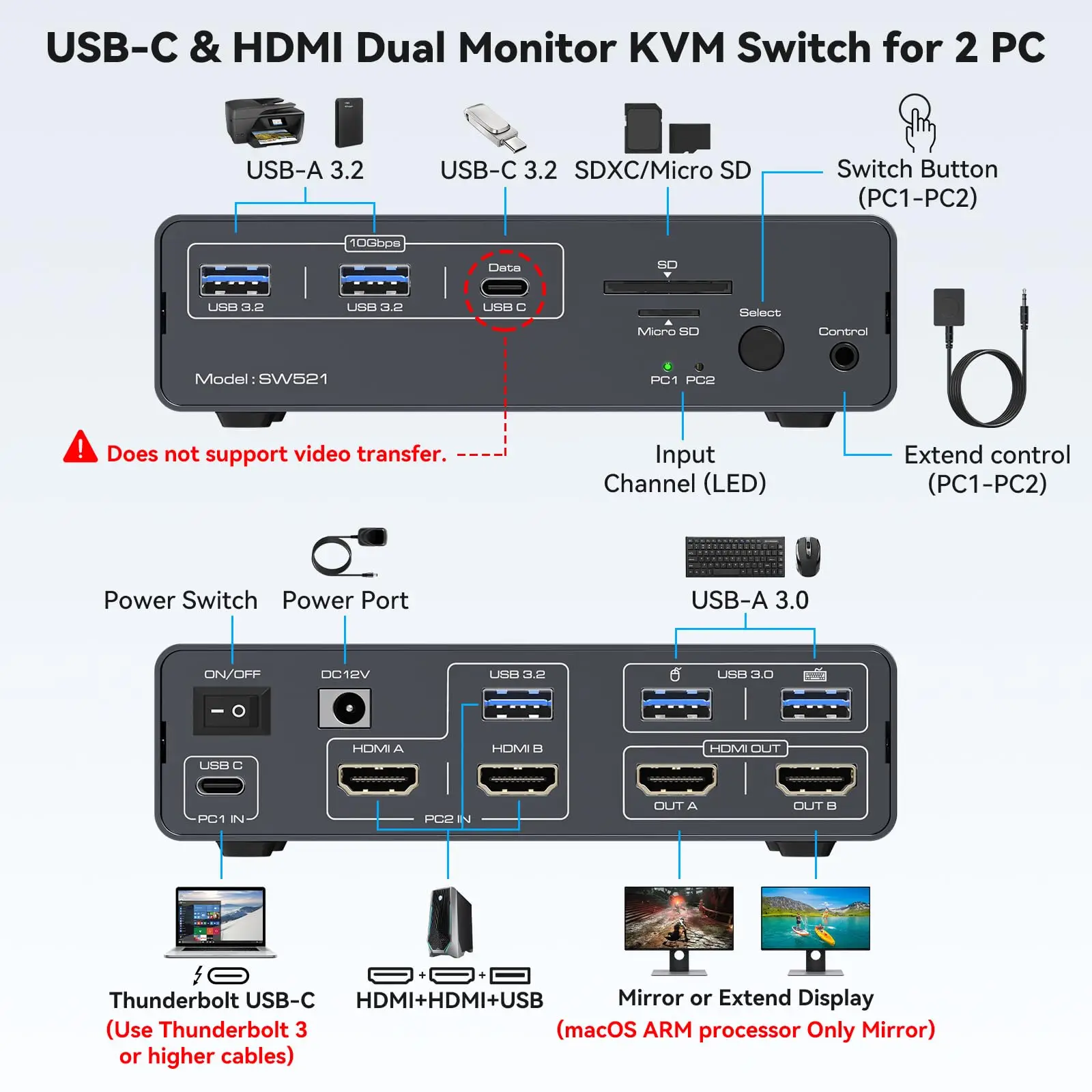
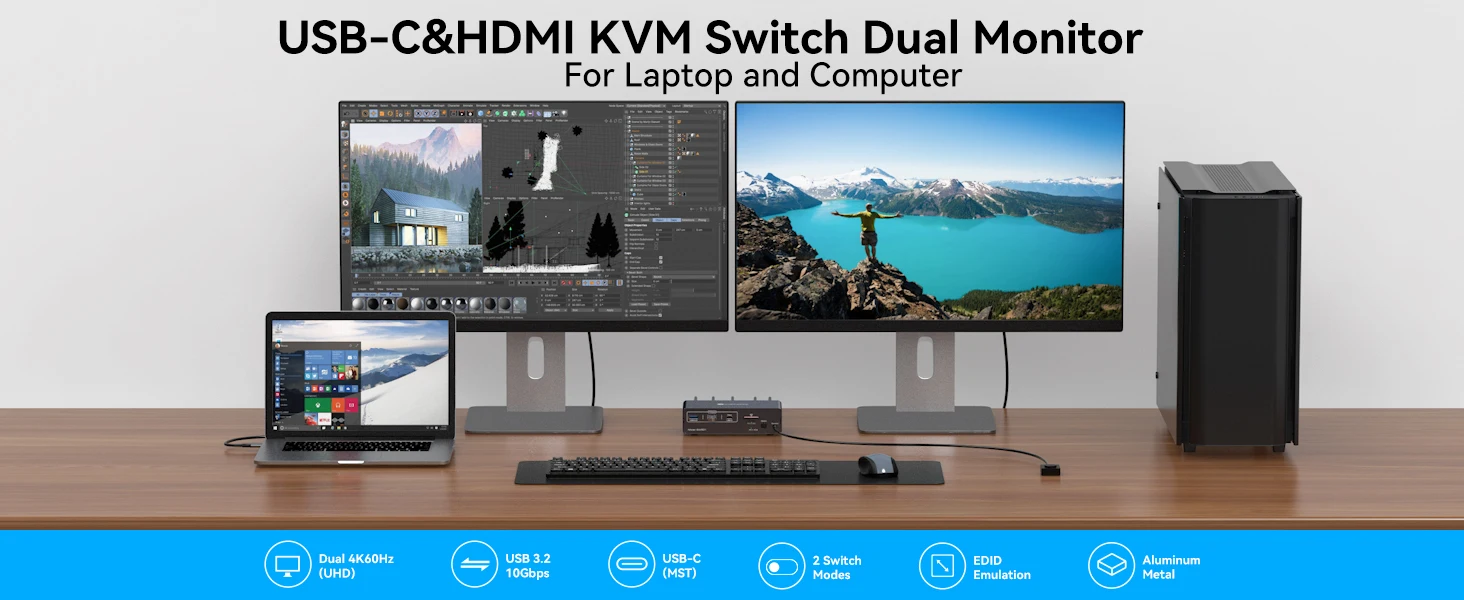
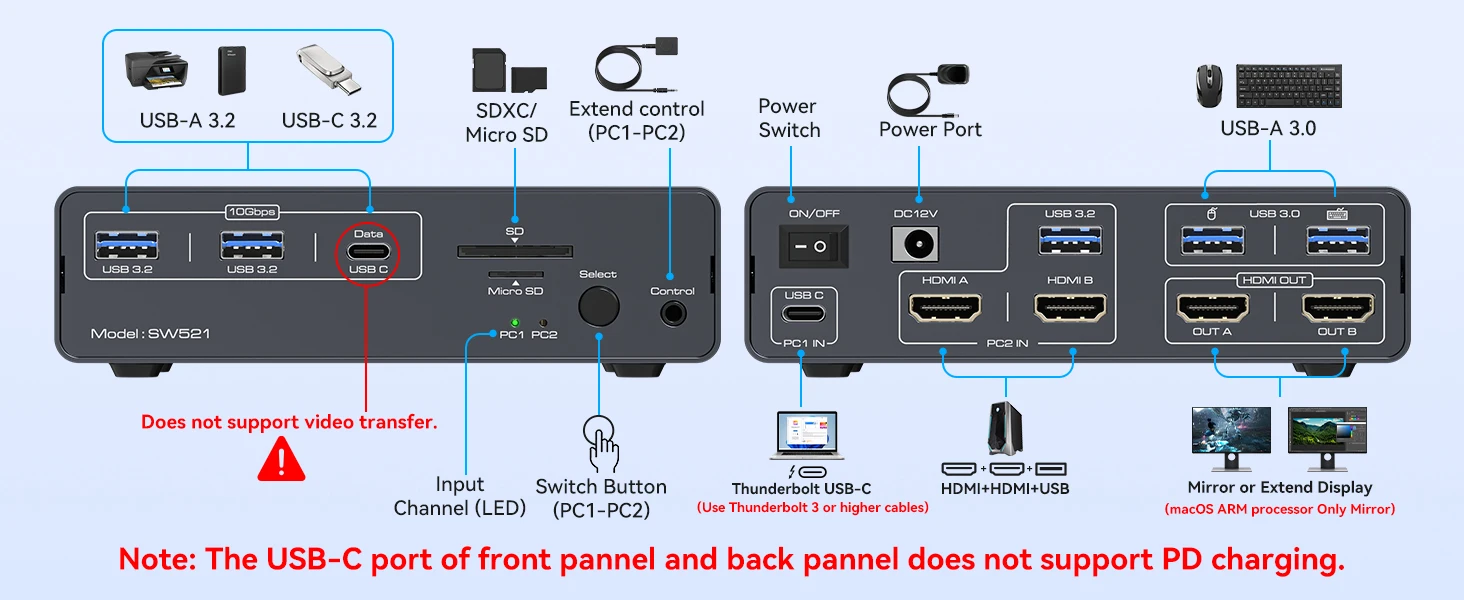
【USB C KVM Switch 2 Monitors 1 Laptop 1 Desktop】This KVM Switch Dual Monitors supports one laptop and one PC to share a 13-in-1 docking station;it includes two monitors with HDMI ports,mouse,keyboard,USB flash drive,SD card and other devices;seamless switching,saving space,improving efficiency and usage experience.Note: The USB C input port does not support charging laptops(No PD charging function)
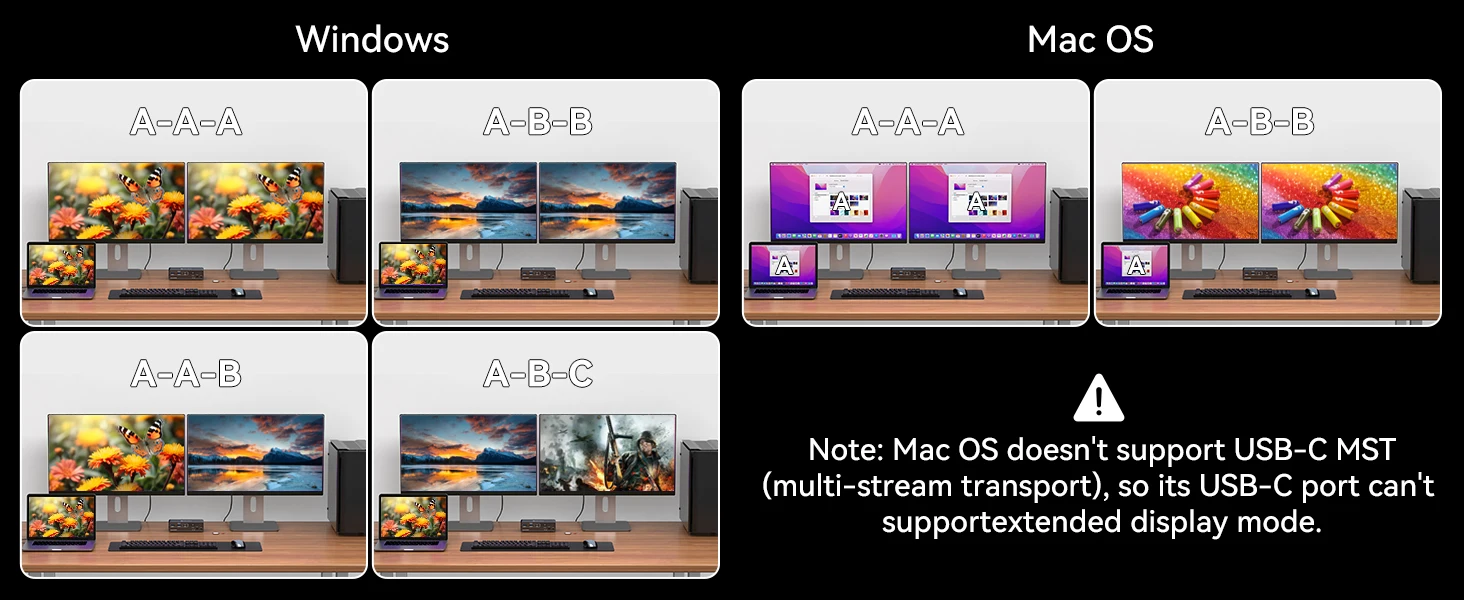
【4K 60Hz Switch 】KVM Switch 2 Computers 2 Monitors support a resolution of up to 4K@60Hz and can transmit impressive high-quality high-definition video.Downward compatible with 2K@144Hz, 1080P, etc. Supports copy and extend display modes.Note: MacBook or Mac OS does not support extended mode.
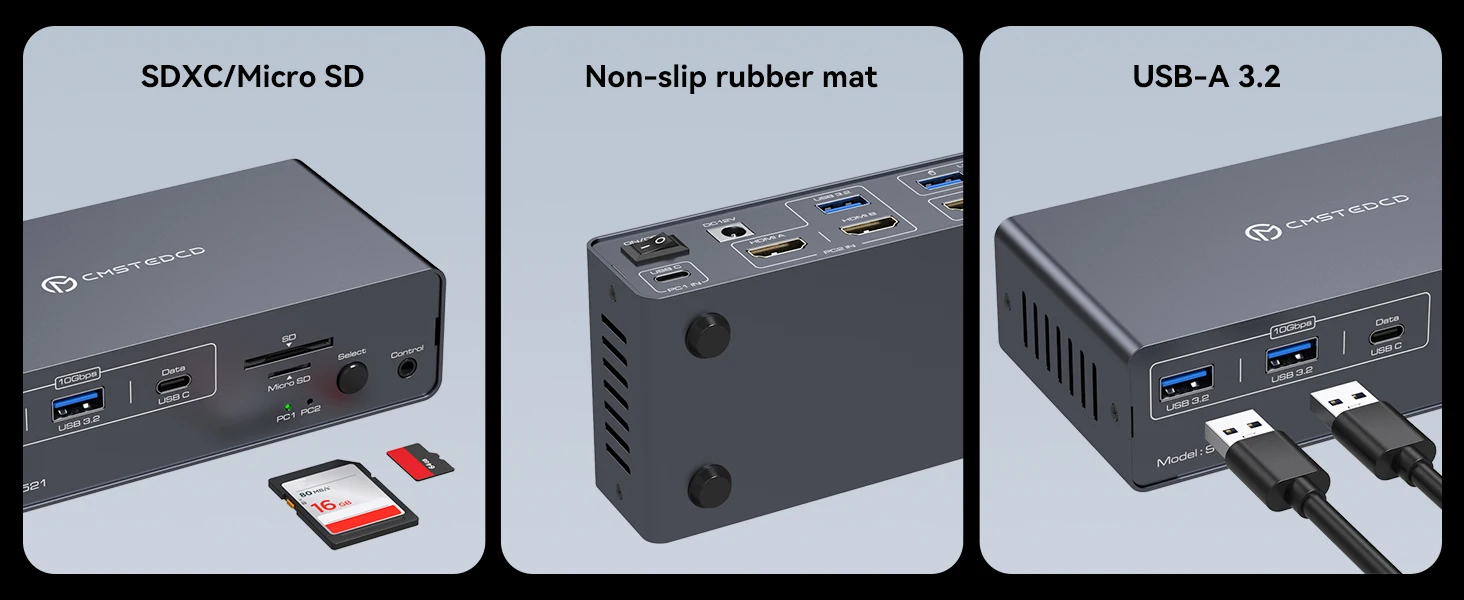
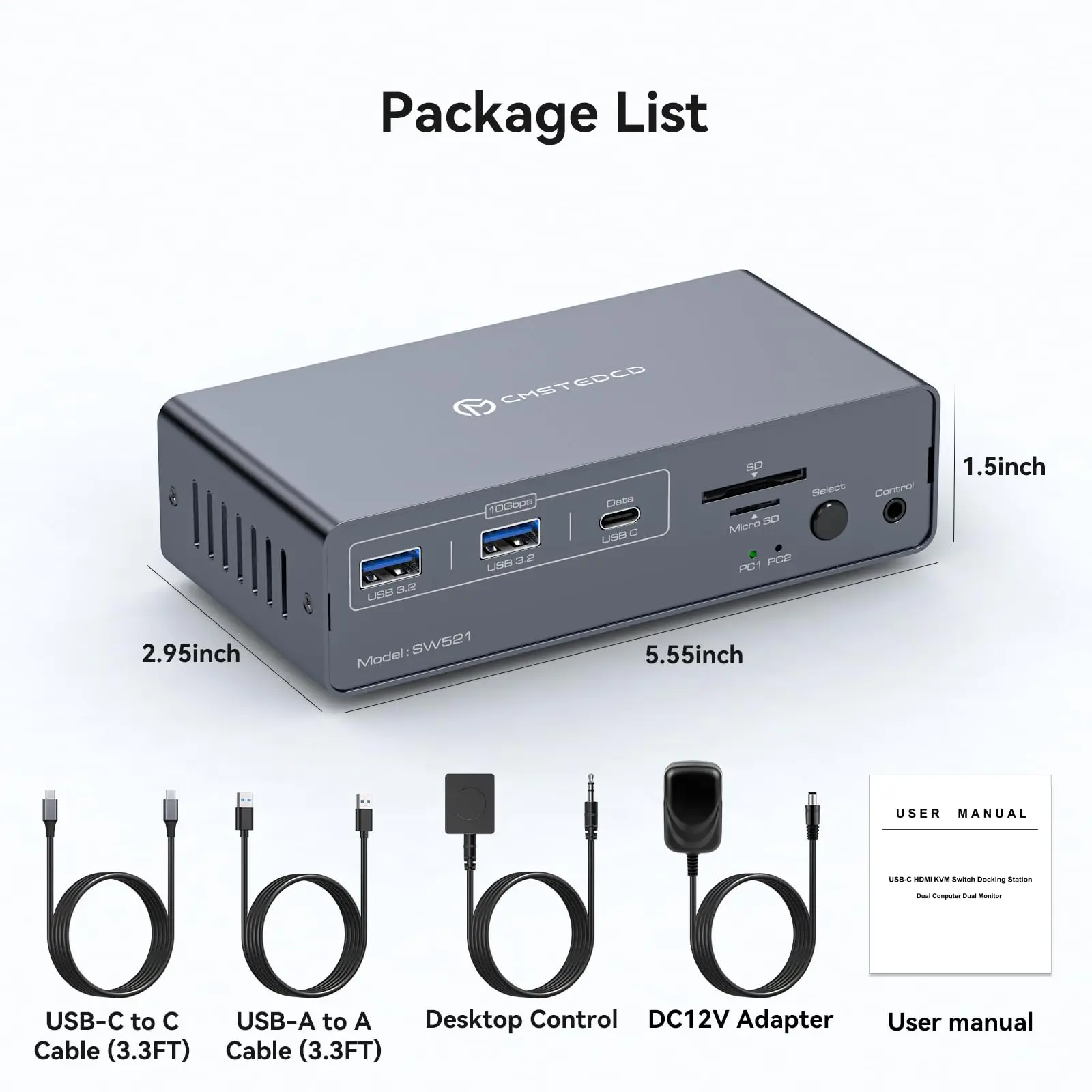
【USB 3.2 KVM Switch】The USB C KVM Switch has 2 USB3.2 ports and one USB C port.The transmission speed is up to 10Gbps,suitable for devices such as USB flash drives and hubs.The USB3.0 port is for mouse and keyboard, making the connection smoother and downward compatible with USB 2.0. Equipped with SD and Micro SD card ports to copy data to laptops and PCs easily.Note: Must use the included USB C cable to avoid incompatibility
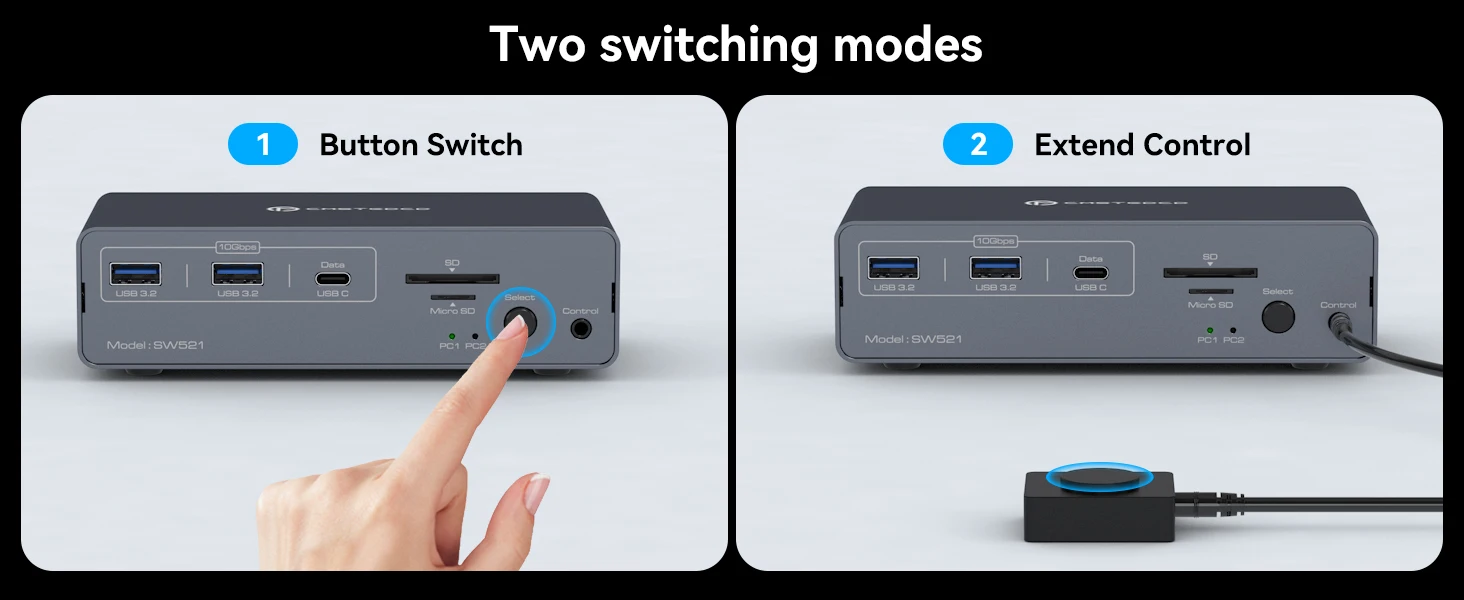
【Easy Switching】This HDMI KVM Switch is small,sturdy,and compact,saving space.It has a metal casing and is resistant to drops.The indicator light shows the active channel.There is an additional extended independent switch button besides the one on the device.Makes it easier to move machine under cable management block and place switch button on table top for a neater desktop.Note: No keyboard shortcuts (hotkeys) supported
【Stable Operation and After-Sales Service】The power supply of KVM switch 2 computers DC12V/1.5A provides sufficient energy for the switcher to ensure stable operation.
-
Read Before Purchasing:
1.The KVM Switch Docking Station can't power the laptop (PD charging is not supported)
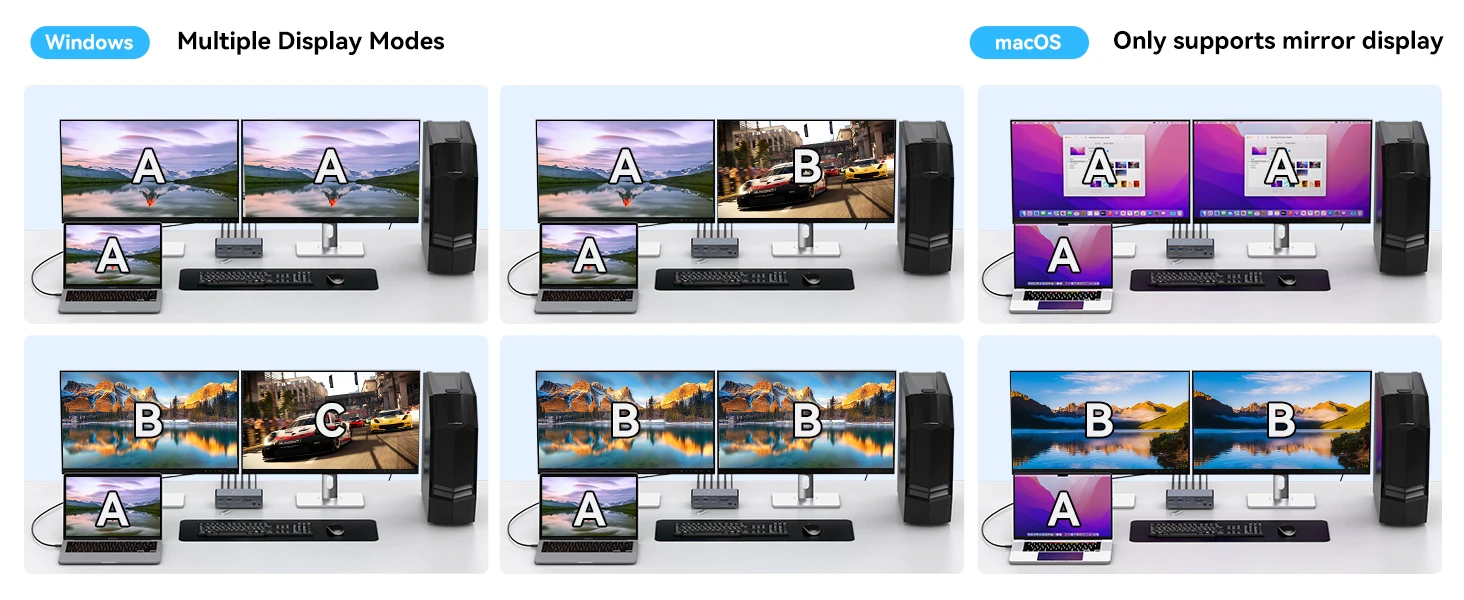
2. Macbook or Mac OS only supported in mirror mode. Displaying different content on two monitors is not supported
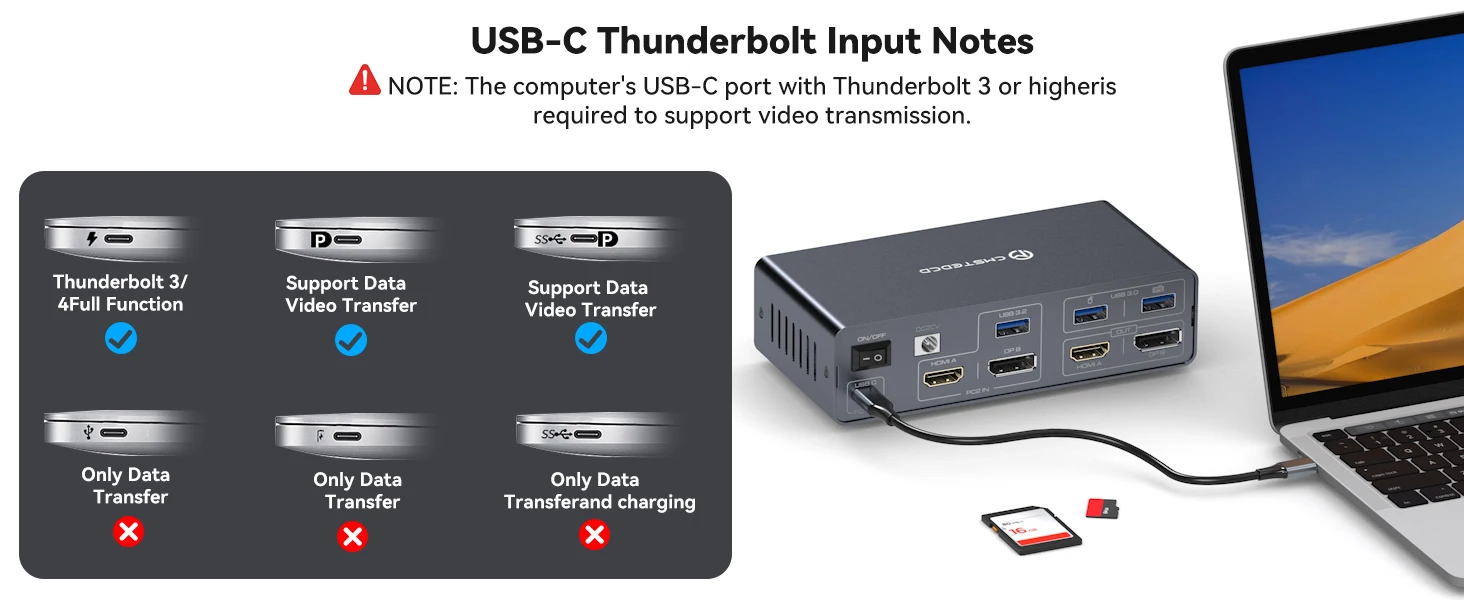
3. Your laptop's USB-C port must be Thunderbolt 3 or higher to function properly.
-
Compatibility Information:
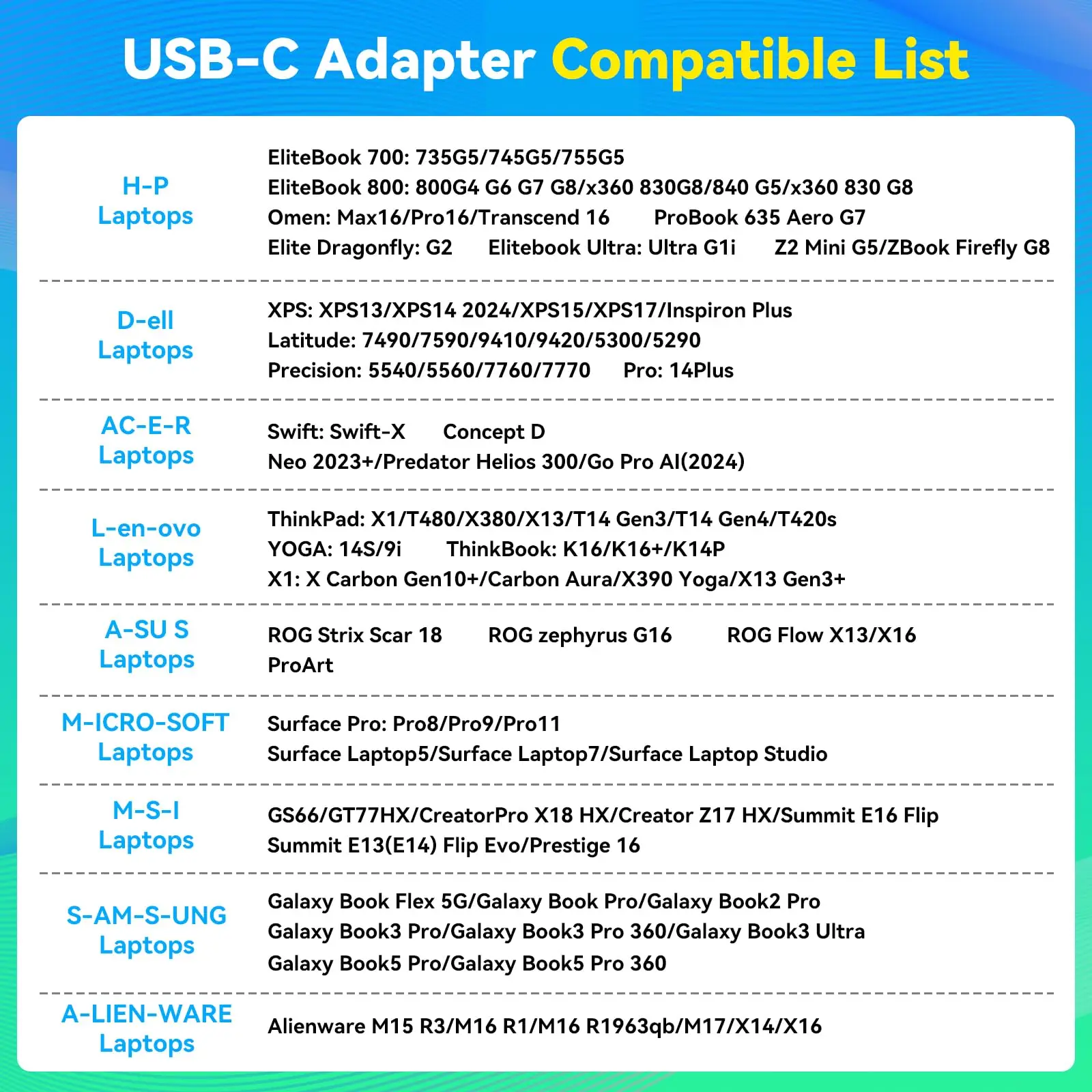
1.Your laptop must have the Thunderbolt 3/4/5 port. Your desktop must have two HDMI ports and one USB port. Each monitor must have HDMI port. 2. HDMI to DP or DP to DVI/VGA cable and other docking station devices are not recommended
3.Please check the compatibility information in the second main image to confirm whether your device meets the compatibility requirements.
-------------------------------------------SW522P HDMI+DisplayPort
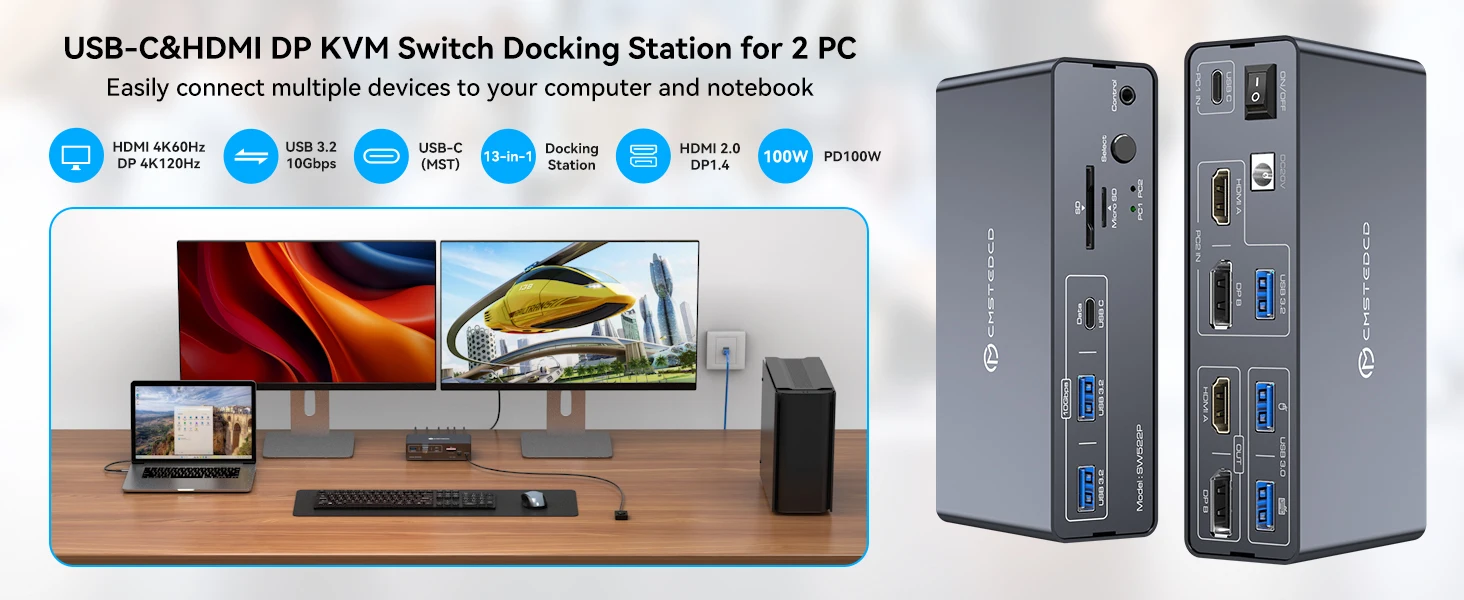
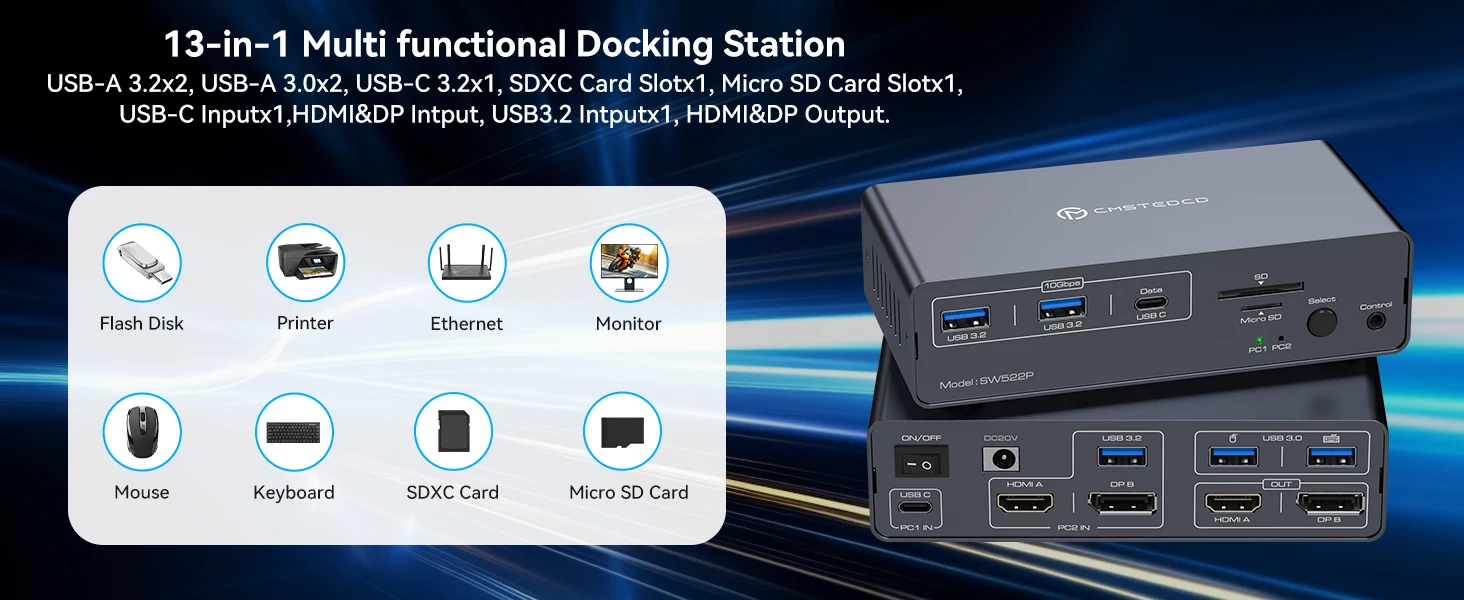
USB C Dual Monitor Docking Station:The KVM Switch Docking Station allows USB C laptops and desktop computers to share a 13-in-1 multi-port docking station,you can share two monitors, a mouse, and a keyboard and switch seamlessly between your work laptops and personal computers, saving space and keeping your desktop neat and tidy, eliminating the need for repeated plugging and unplugging and improving work efficiency
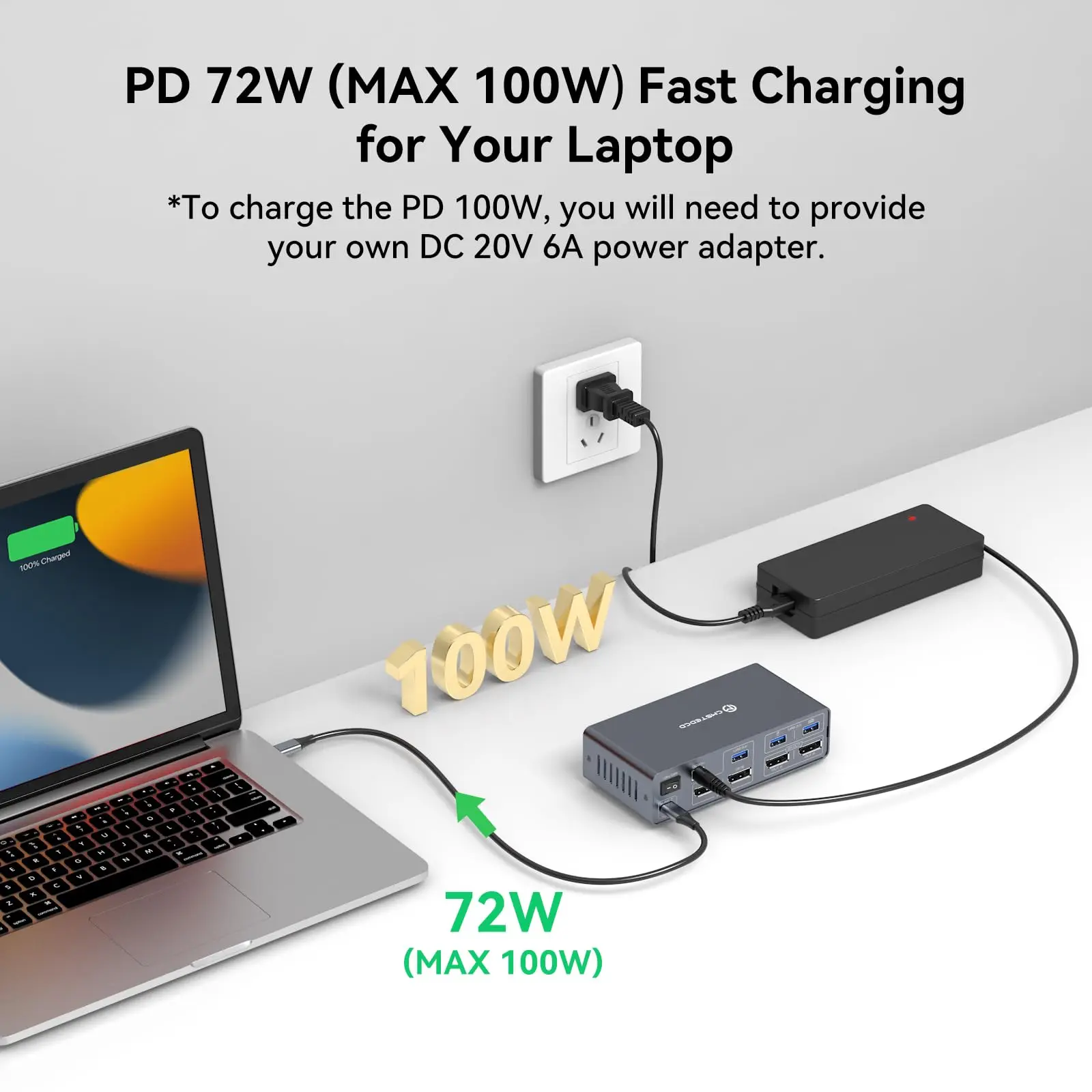
100W PD Charging:Support Charging,Keep devices juiced up with 100W PD pass-through charging (laptop).The included 120W adapter ensures stable power for all connected gear—no more cable clutter! NOTE: Macbook or Mac OS devices only support copy mode as system limitation
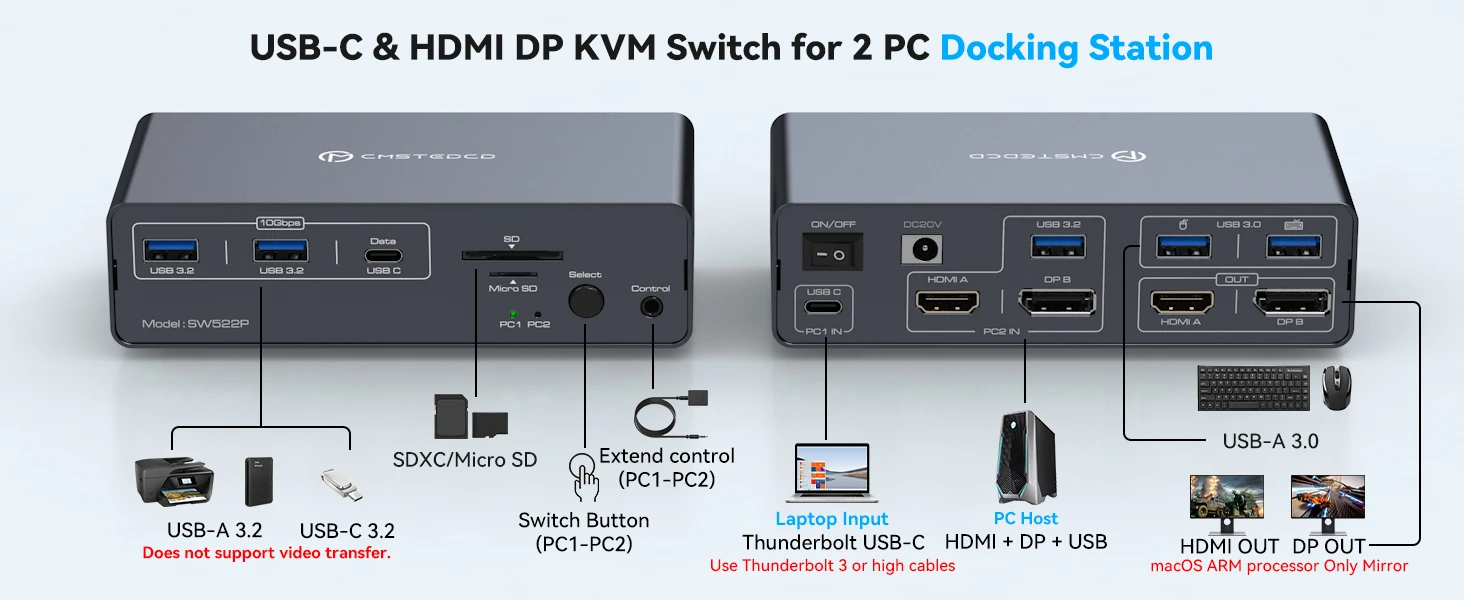
USB C + HDMI/Displayport Input:The KVM switch is equipped with USB-C and HDMI/DP input ports, effectively resolving connectivity issues caused by a lack of diverse ports, Note:requires your laptop to have a Thunderbolt 3/4/5 port
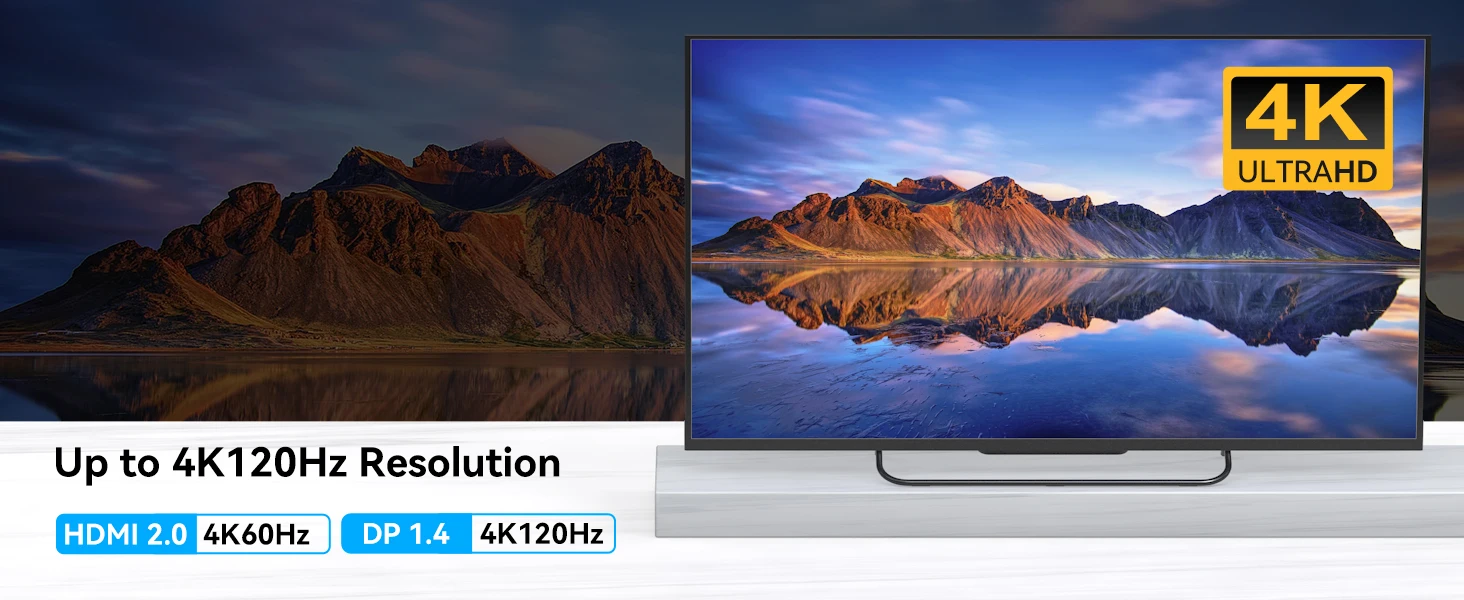
HDMI+Displayport Output:This KVM features two video output ports (HDMI + DisplayPort), allowing both computers to share the two monitors.HDMI port supports 4K60Hz, DisplayPort supports 4K120Hz and is backward compatible. Note:your computer, monitors, and cables must all support the corresponding resolutions
Compact Design and Durable Use:Compact and lightweight design allows easy placement on desks or tuck away underneath, meeting the needs of those who prefer a tidy workspace and want to keep cables organized to avoid clutter. The aluminum alloy casing enhances durability and heat dissipation, ensuring long-term, stable performance
Plug and Play:No drivers or software required.Simply connect all cables according to the instructions to enjoy a convenient working experience
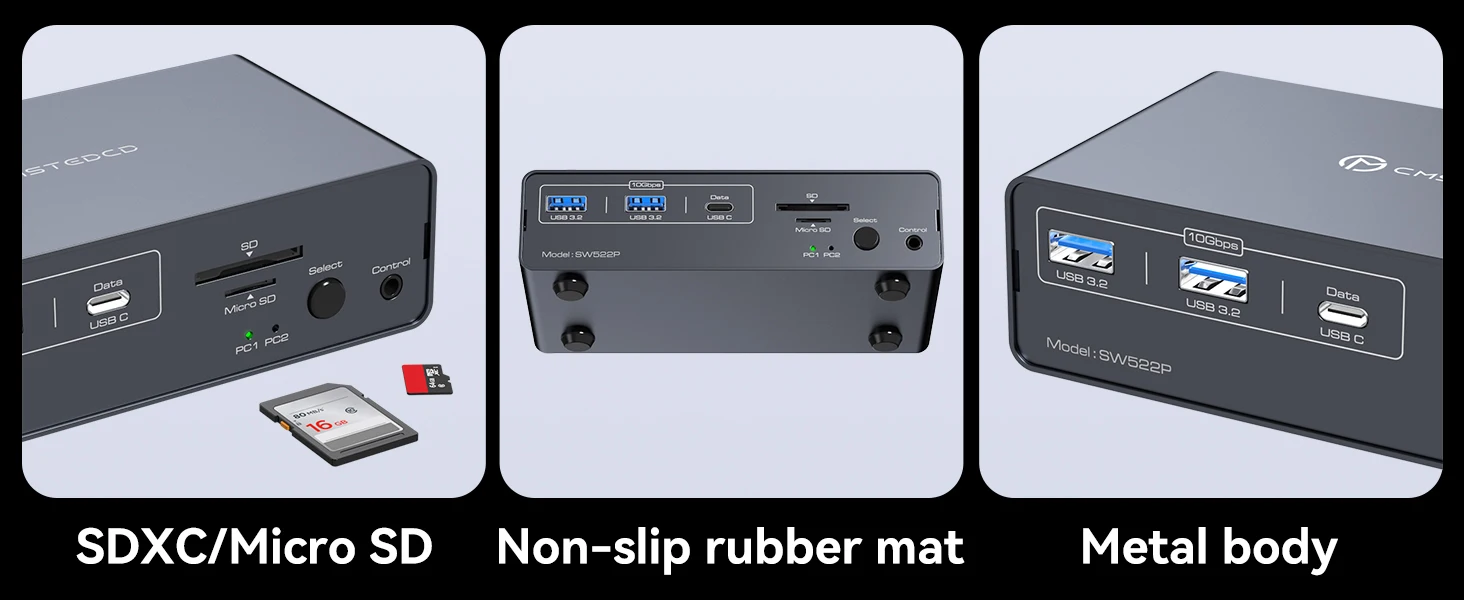
13-in-1 Multi-port Docking Station:Provides multiple shared peripheral ports,2x USB 3.0 for mouse and keyboard,2x 10Gbps USB 3.2, 1x USB-C date-ports allow you to connect more peripherals for faster transmission speed; 1x SD card slot and 1x Micro SD card slot give you a more convenient way to transfer data.Support you with a variety of data transfer methods to create a powerful home workstation. Note: The USB-C port labeled “Data” supports data transfer only and does not support PD charging or video transmission
--------------------------------------SW523P Dual DisplayPort
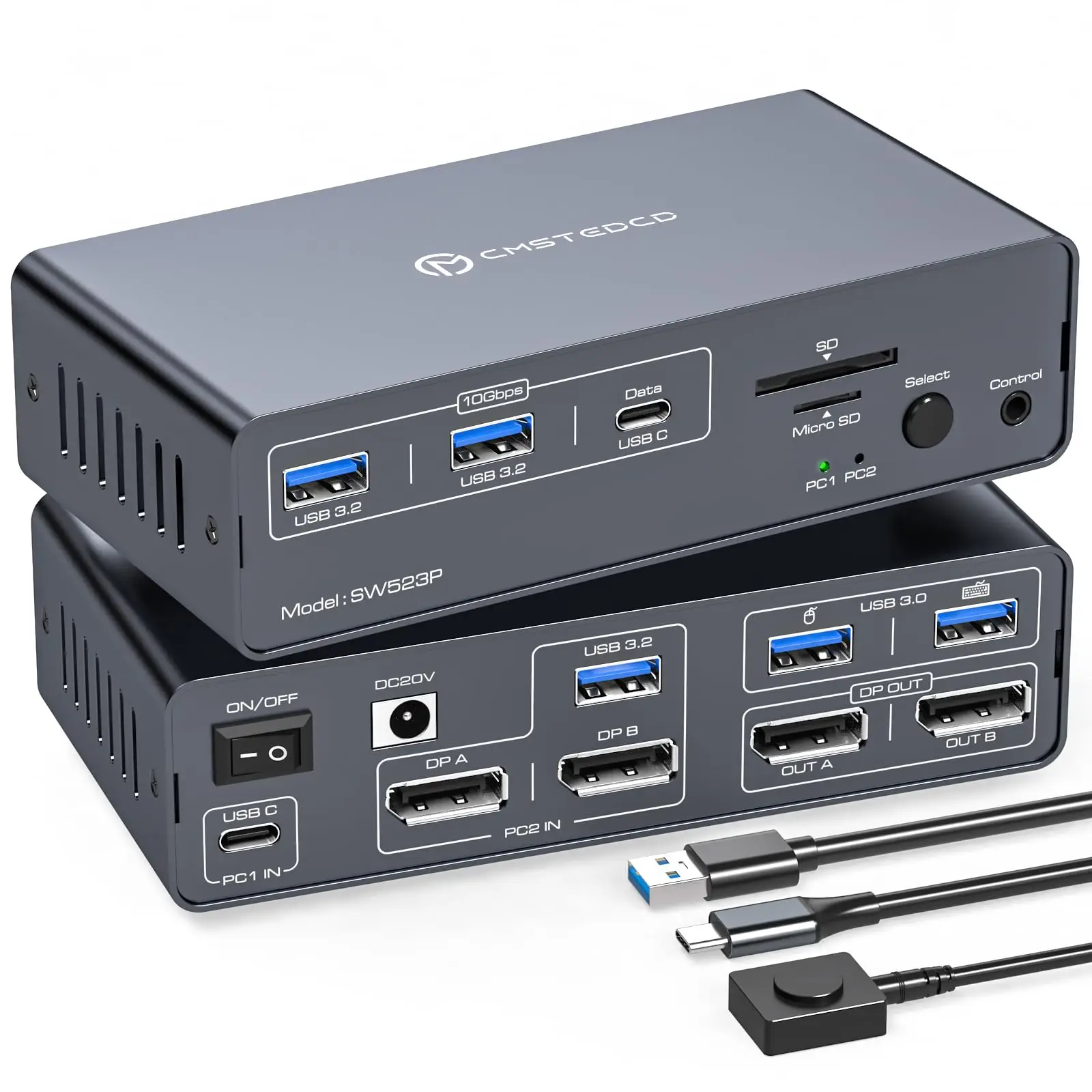
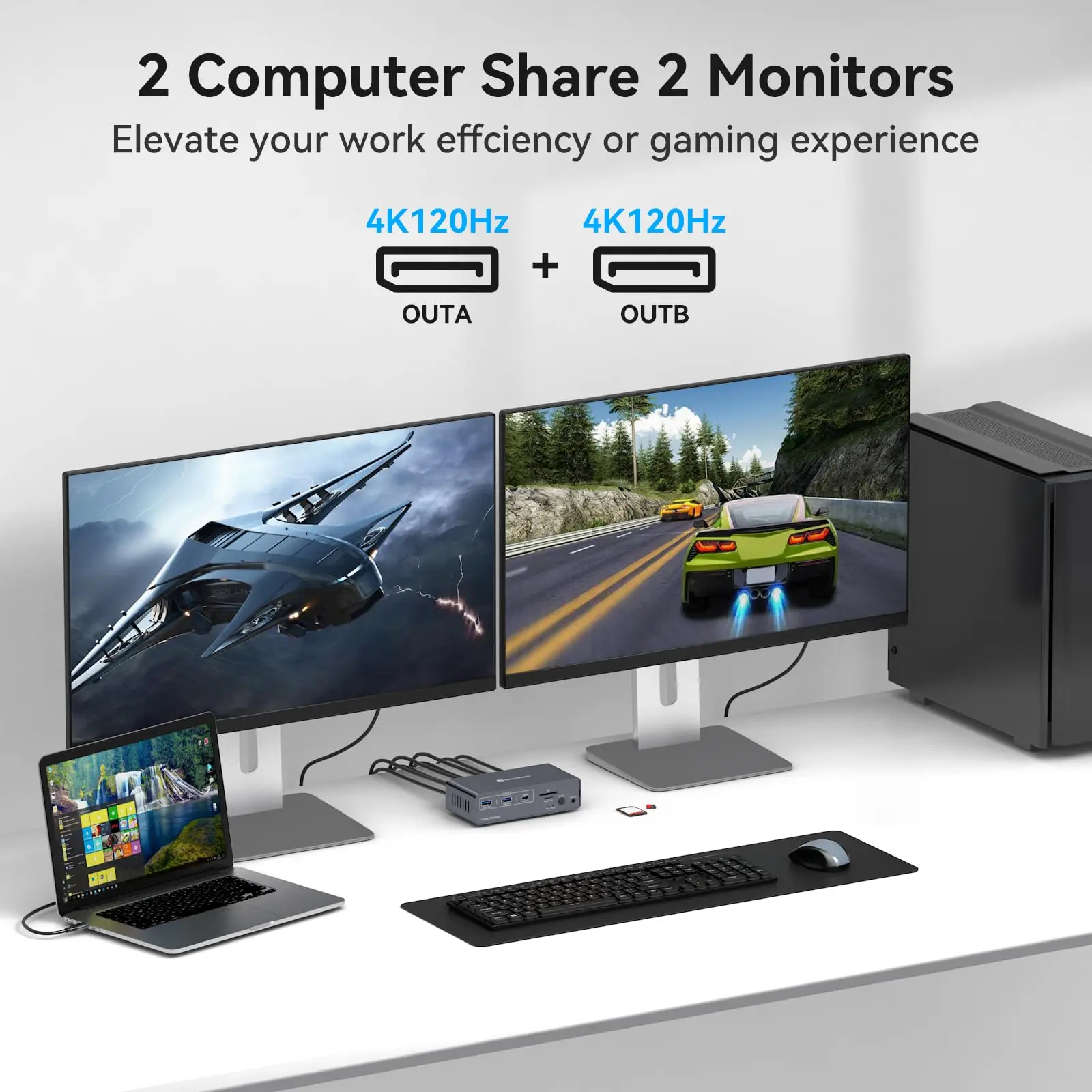
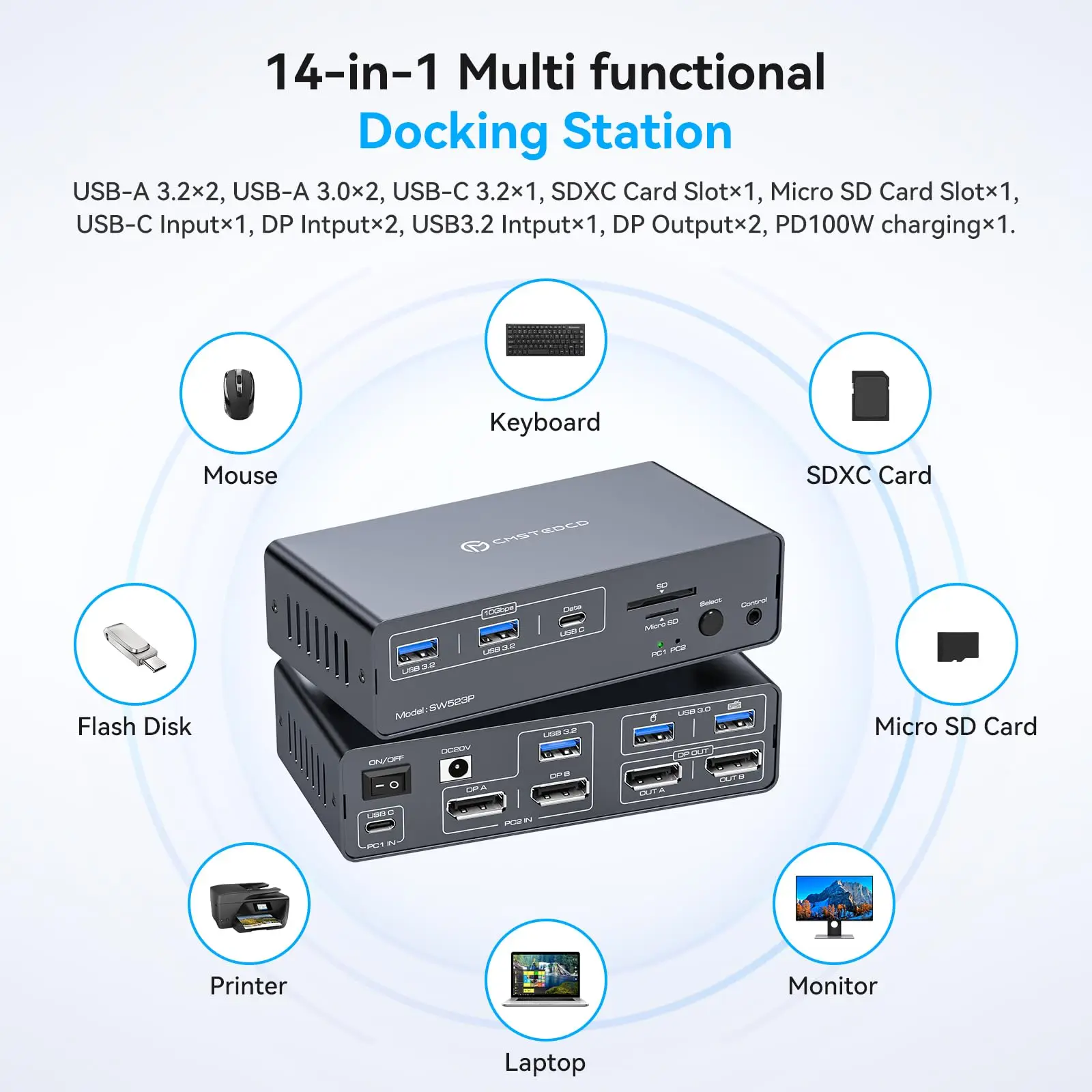
USB C Dual Monitor Docking Station: The docking station allows USB C laptops and desktop computers to share a 14-in-1 multi-port docking station; you can share two monitors, a mouse, and a keyboard and switch seamlessly between your work laptops and personal computers, saving space and keeping your desktop neat and tidy, eliminating the need for repeated plugging and unplugging and improving work efficiency. Note: USB-C input port on the Rear panel, connected to the computer'sThunderbolt port. (Supports simultaneous PD charging of laptops, MAX 100W)
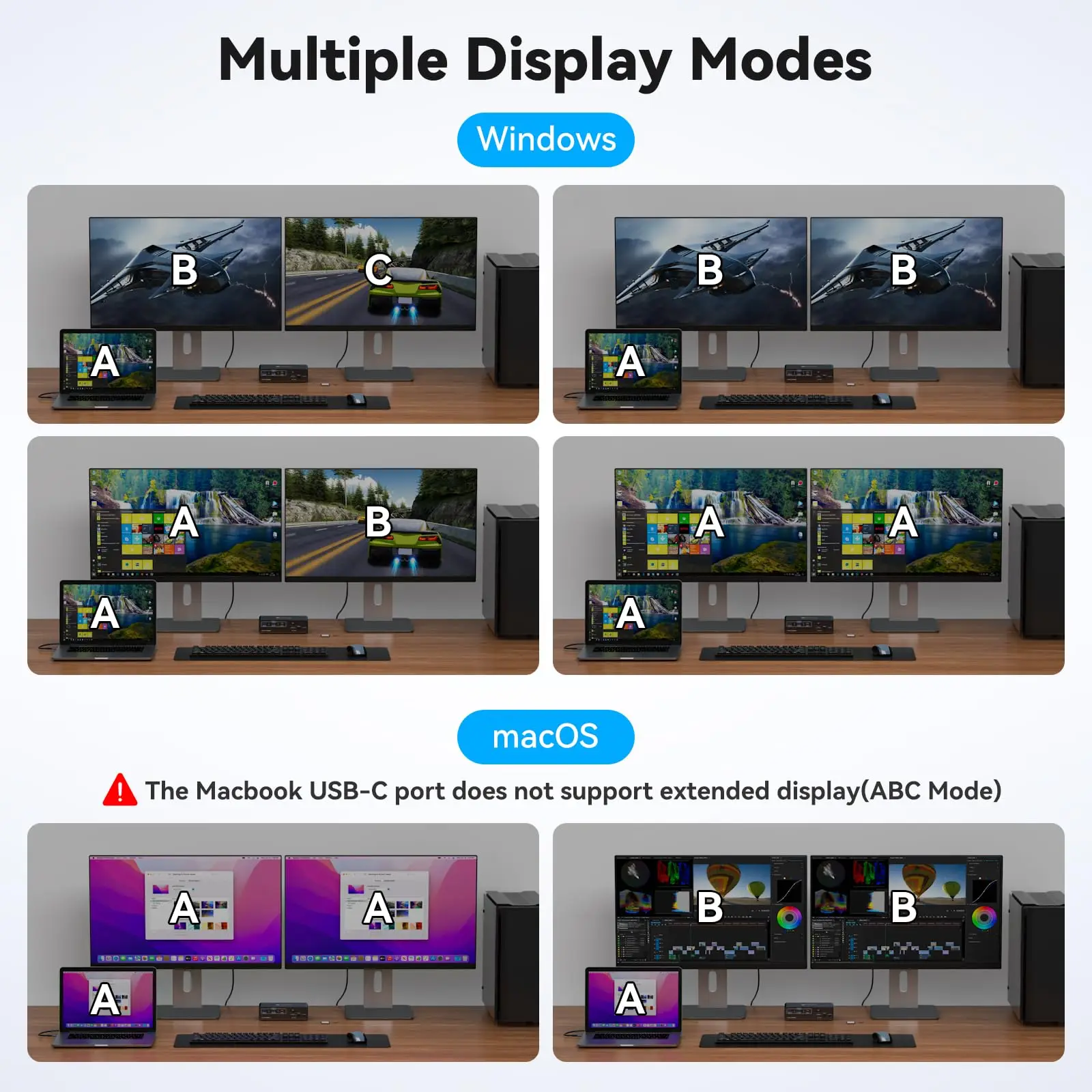
Dual Mode Docking Station: This docking station supports dual monitor resolutions up to 4K120Hz for a stunning visual experience with sharp, clear and vibrant colors that make every task a pleasure. Supports dual-screen docking mode and dual-screen mirroring mode; a feature that dramatically improves productivity for professionals who rely on multiple screens for multitasking, graphic design, video editing or data analysis. Note: MacOS only supports mirroring mode
100W KVM Switches: Keep devices juiced up with 100W PD pass-through charging (laptop).The included 120W adapter ensures stable power for all connected gear—no more cable clutter!
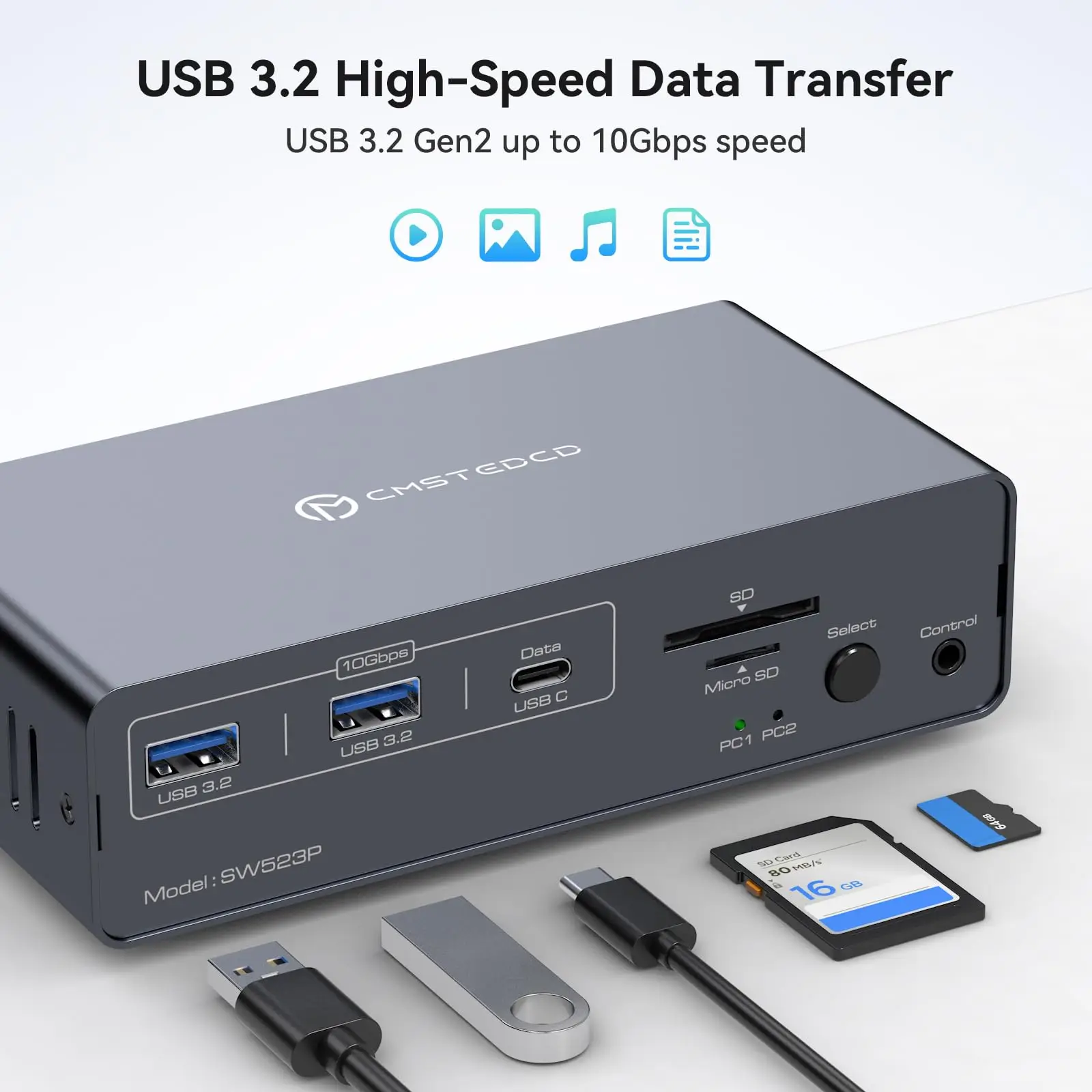
14-in-1 Multi-Function Docking Station: The combination of multifunctional ports of the KVM docking station simplifies complex tasks to a great extent.USB 3.0 ports for mouse and keyboard;10Gbps USB 3.2 and USB-C data transfer ports on the front panel for more high-speed usb devices;The SD card slot and Micro SD card slot provide faster data transfer methods.Note: The USB-C port on the front panel only supports data transfer
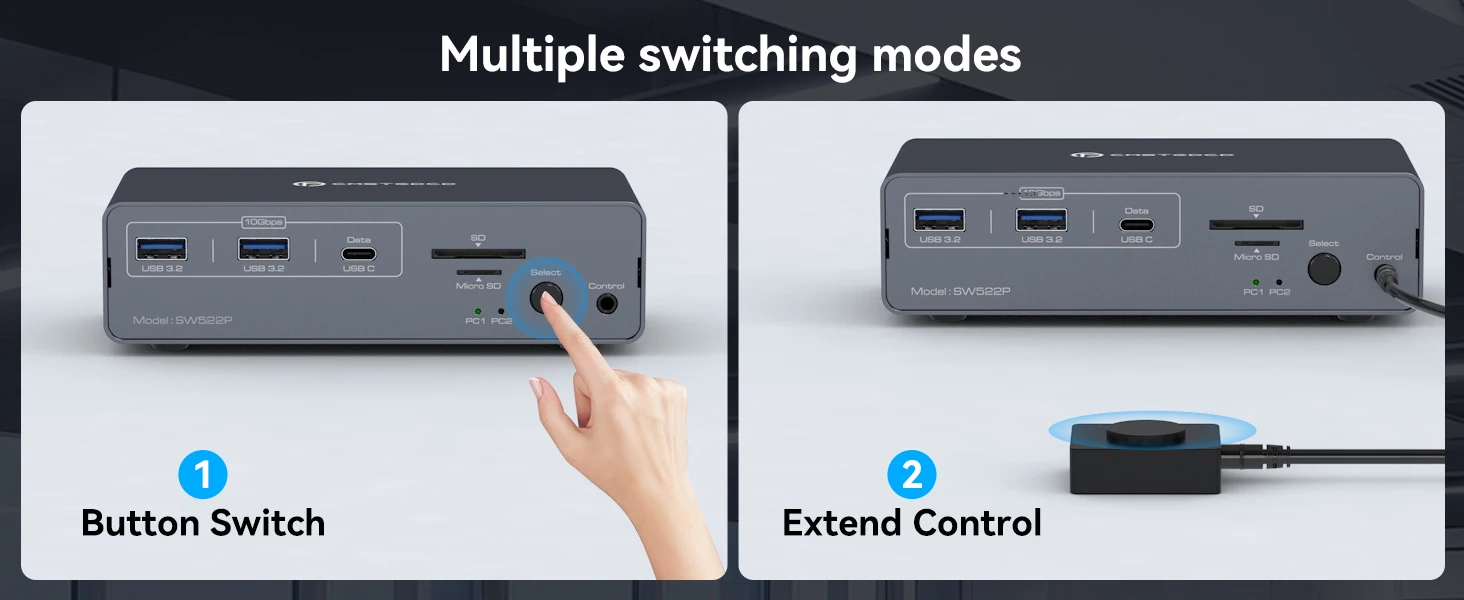
Two Switching Modes: Switch by pressing the select button on the docking station; switch by using the desktop expansion button, which allows you to place the docking station under the desktop or outside of the work area for a cleaner desktop. Supports smooth and easy switching between entertainment and work modes, allowing you to maximize your work efficiency without compromising your gaming experience. Note: Keyboard shortcuts (hotkeys) switching is not supported
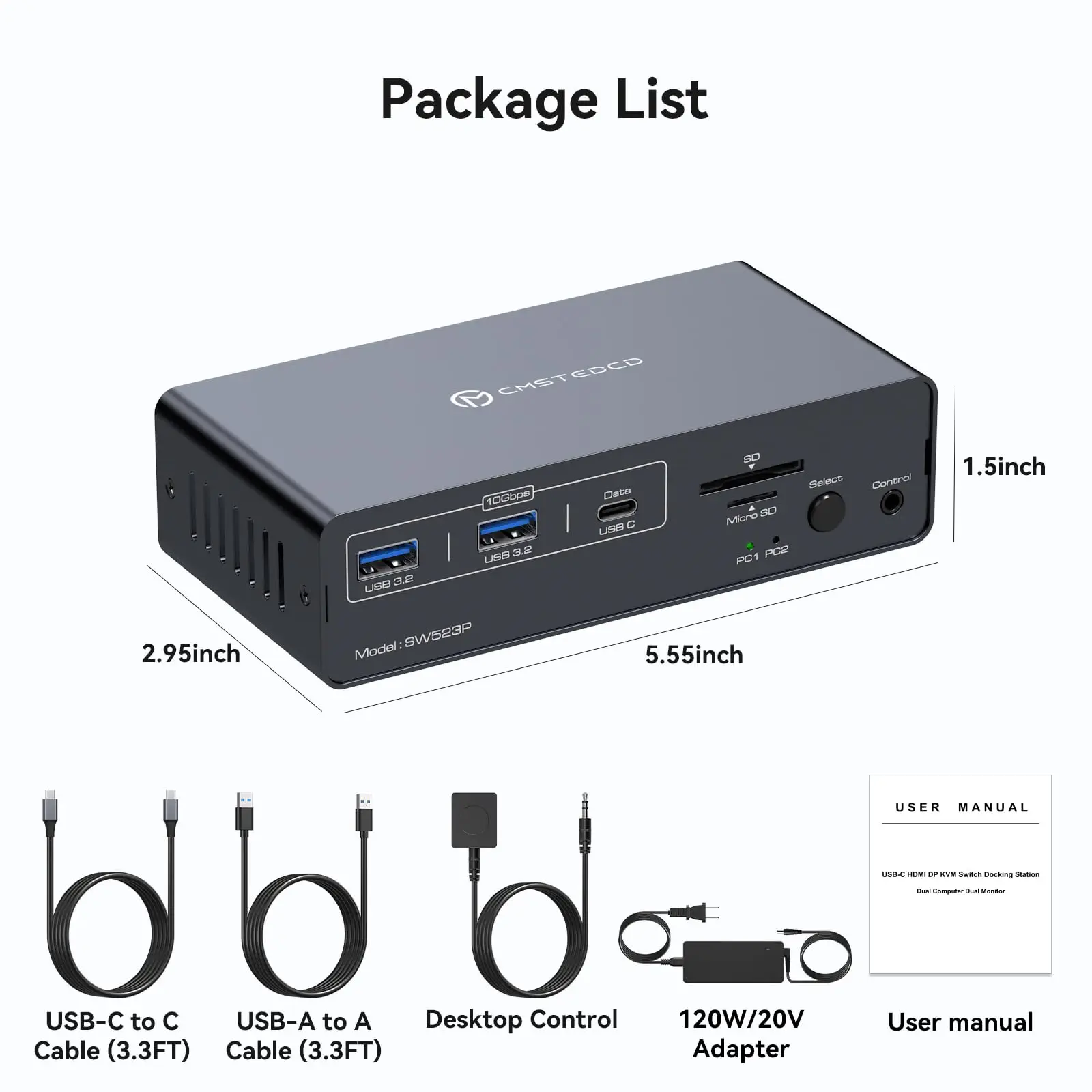
Package Included: DC 20V Power Adapter X1; USB-C-C Cable X1; UAB3.0 A-A Cable X1; Desktop Controller X1; User's Manual X1,