€444,67
Farbe vergleichen
-
with US PLUG
-
with EU PLUG
-
with UK PLUG
-
with AU PLUG
Klicken Sie auf Farbe/Muster zum Vergleichen, klicken und ziehen Sie Bilder, um sie neu anzuordnen
Abholverfügbarkeit konnte nicht geladen werden
Versand, Rücksendungen und Zahlungen
-
Kostenlose Lieferung
-
30 Tage Rückgaberecht.
-
Geld-zurück-Garantie


Zuletzt angesehene Produkte
SPECIFICATIONS
Brand Name: NONE
Choice: yes
Color: Grey
Compatible PC Devices: Laptop
Funtion: Card Reader,DP,USB-C
High-concerned chemical: None
Interface Type: USB-A+C HUB
Length: 100cm
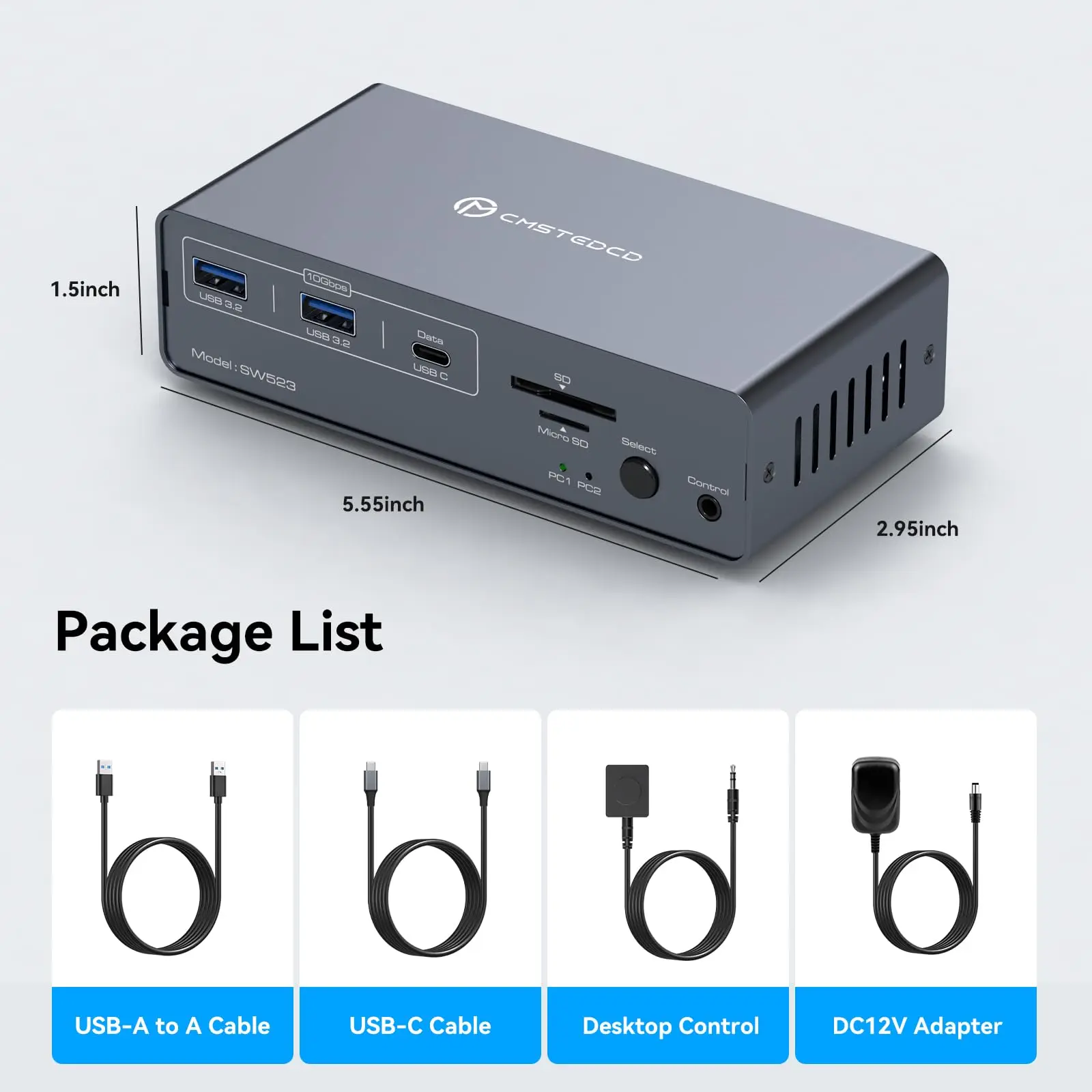
Model Number: SW523
Name: USB C KVM Switch
Origin: Mainland China
Package: Yes
Plug Type: EU
Ports: Disply Port
Standard: USB 3.0
Style: 13 in 1 KVM Docking Station
semi_Choice: yes
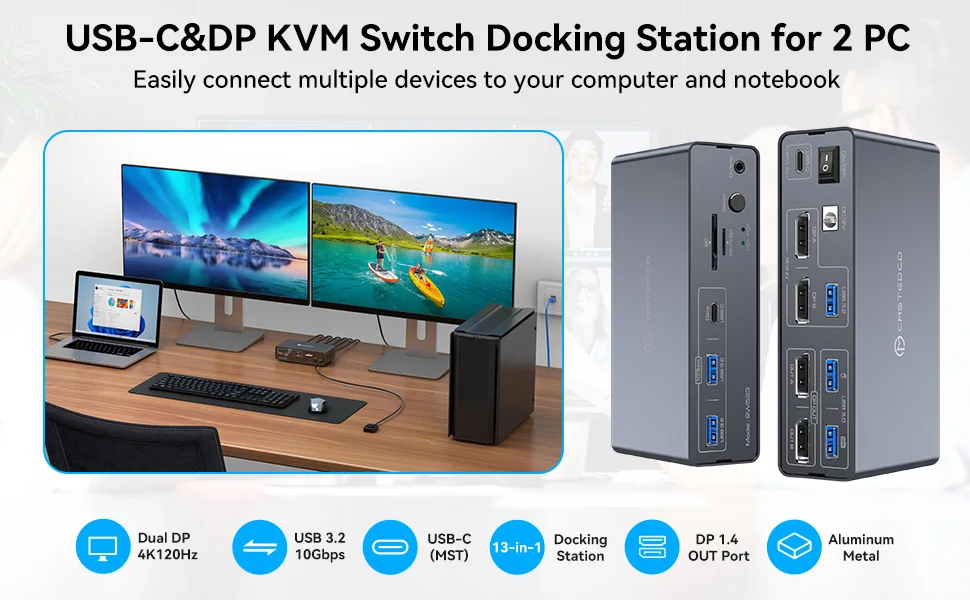
KVM Docking Station 2 Monitors 2 Computers for Laptop & Desktop
Supports controlling 2 computer devices and 2 monitors using only 1 set of keyboard and mouse.
Supports mouse and keyboard connection to KVM via two USB 3.0 ports.
Supports connecting barcode scanners,USB storage,or other high-speed USB devices through two USB 3.2 Gen2 and one USB-C port.
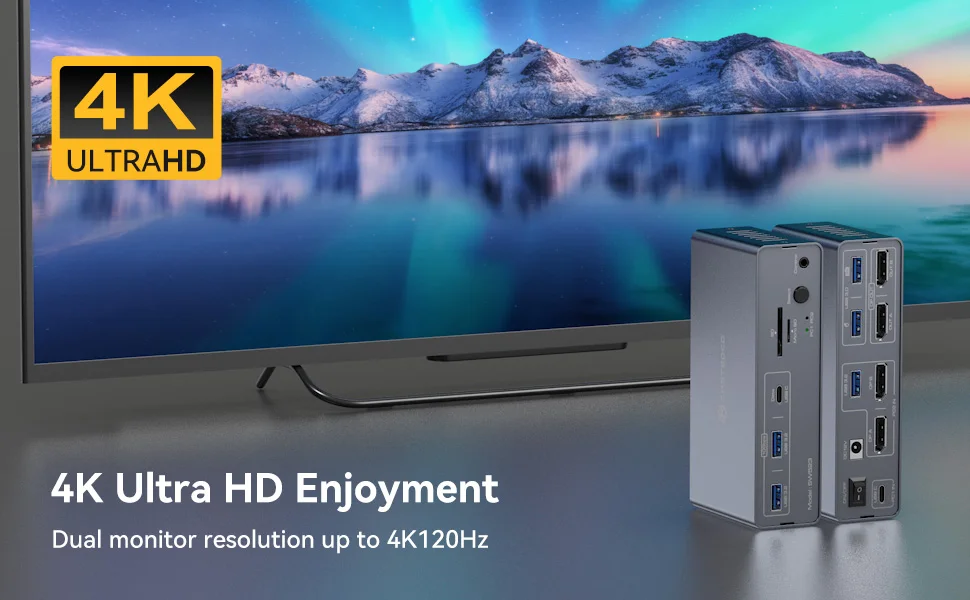
Supports up to 3840*2160(4K)120Hz resolution.
Supports host USB 3.2 Gen2 transfer rate.
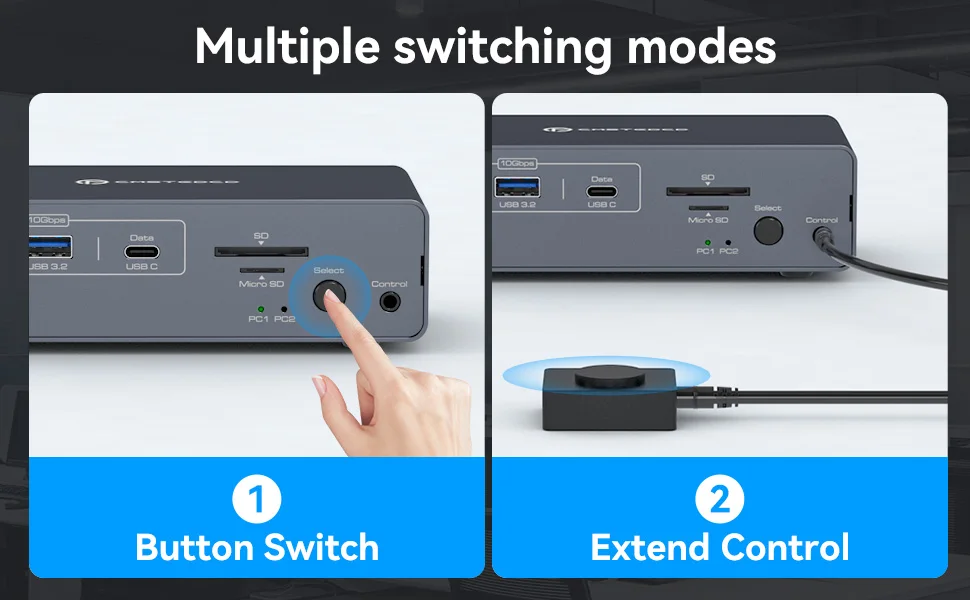
Support front panel buttons and external switch buttons to control KVM switch inputs.
The USB-C port supports dual screen mode for Windows and Mac OS.
Supports USB 3.0 SD card and Micro SD card.
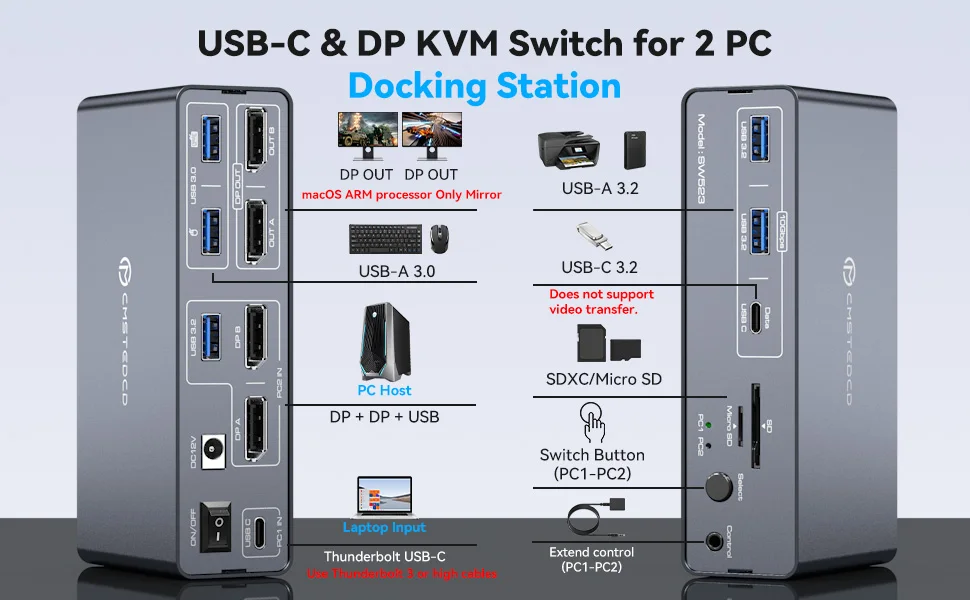
How to Use?
1.Laptops connect to the PC1 IN port of the docking station via the USB-C port (supports video transmission, Thunderbolt 3 or higher); desktops connect to the PC2 IN port of the docking station via the 2DP+1USB-A port.
2.Connect the 2x DP output port on the back of the KVM switch to the monitor through an 2x DP cable.
3.Connect the mouse and keyboard to the USB 3.0 port on the back.
4.Connect USB storage devices,printers,and other USB devices to the USB port on the front panel(the USB-C port on the front panel only supports data transfer and does not support PD charging and video transfer)
5.Switch between Computer 1 and Computer 2 through the buttons on the panel or external control kit.
Attention:
Before power on,please check the connection line carefully.And make sure that all interfaces are normally connected.
Before inserting the connecting cable,please disconnect the power supply first.
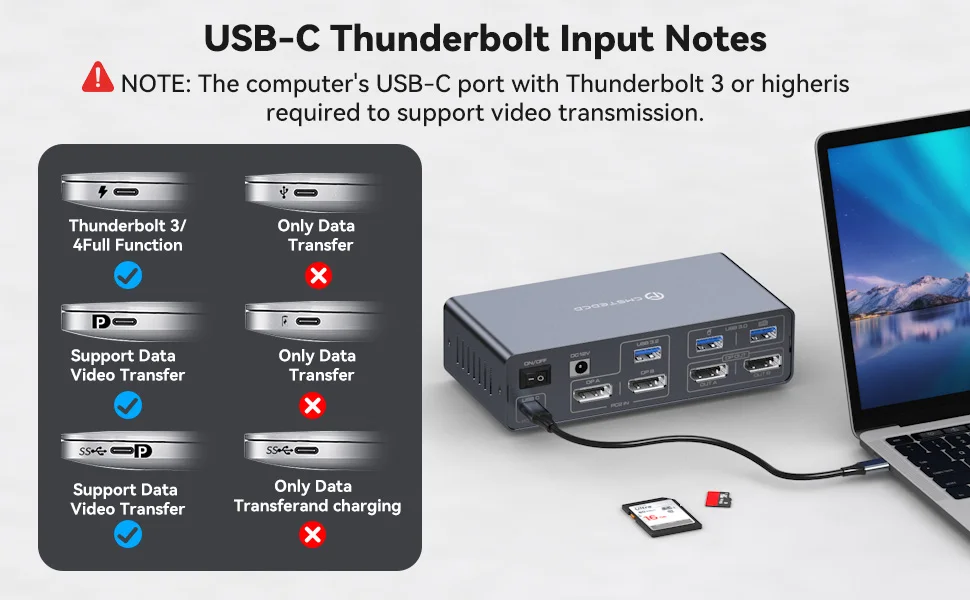
Pre-purchase Notice:
Please check your laptop: Please confirm what functions the USB-C port on your laptop supports. The docking station only works with devices whose USB Type C port supports video output or DP Alt mode. It may not be suitable for all USB C laptops.
Please confirm the DP version of the computer graphics card. Only DP version 1.2 and above supports the extended screen (MST), otherwise the device cannot extend two different screens on two monitors.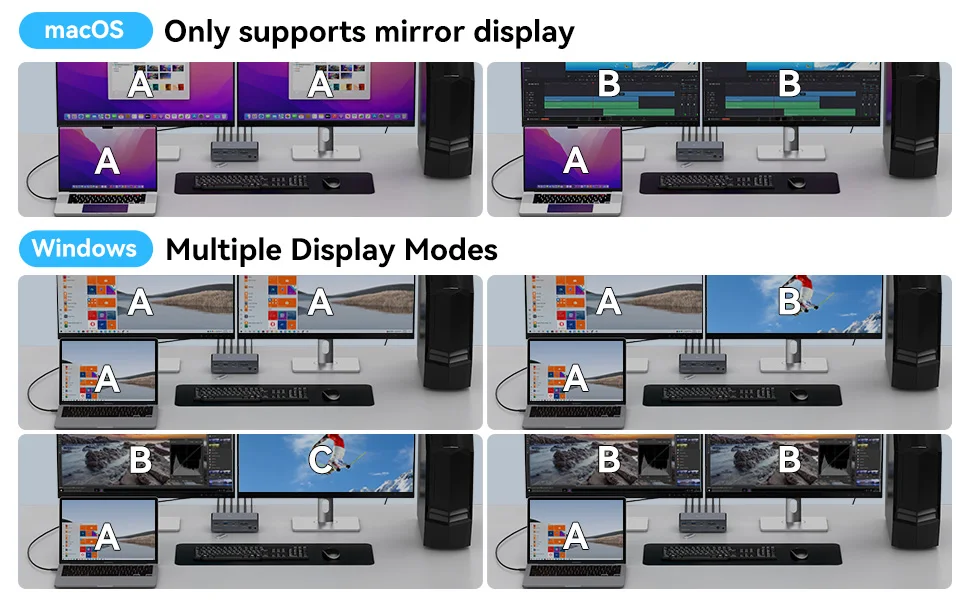
Multiple Display Modes
macOS: Only supports mirror mode, i.e. AAA and ABB display modes, and the two monitors display the same picture.
Windows: Supports mirror mode and extended mode, i.e. AAA, ABB, AAB and ABC display modes, and the two monitors can display the same picture or different pictures.